Tests and data
Run test is refused
| Message or symptom | Cause and fix |
|---|---|
| A red firmware banner is showing | The app won't start a test on firmware it can't talk to. See Firmware problems. |
| Nothing to select in New test (on Control) | No profiles saved yet. Create a sample profile and a motion profile, or use Import .sp / .mp. |
| The test starts and ends at once | A fault is showing, so motion can't be enabled. Check the status banner on the Control screen. |
| Run past the limits? | The test goes beyond the machine configuration or the sample profile (speed, acceleration, travel or force); each problem is listed. Cancel and change the profiles, or Run anyway. |
| This motion profile can't be run | The profile is in the old format. The message names the move; rebuild the profile in Motion profiles. |
| A sine or chirp is refused | The machine won't run a sine or chirp it can't deliver at the amplitude asked (too fast for the machine's velocity or acceleration limit). Lower the frequency or amplitude; the motion profile editor shows the peak velocity. Straight and sigmoid moves aren't refused: they run at the machine's limits, slower than written. |
A test stops early
| Toast | Cause |
|---|---|
| Test stopped: sample limit exceeded | The sample reached Max force or Max displacement from its sample profile. This is the limit doing its job; raise it if it was too tight. |
| Test aborted: motion disabled | Motion was switched off: STOP, Disable motion, or a fault. The Fault badge on Control shows which, if it is still present. |
| Test aborted: waveform refused | The machine could not deliver a waveform in the program. |
A run is stuck in running
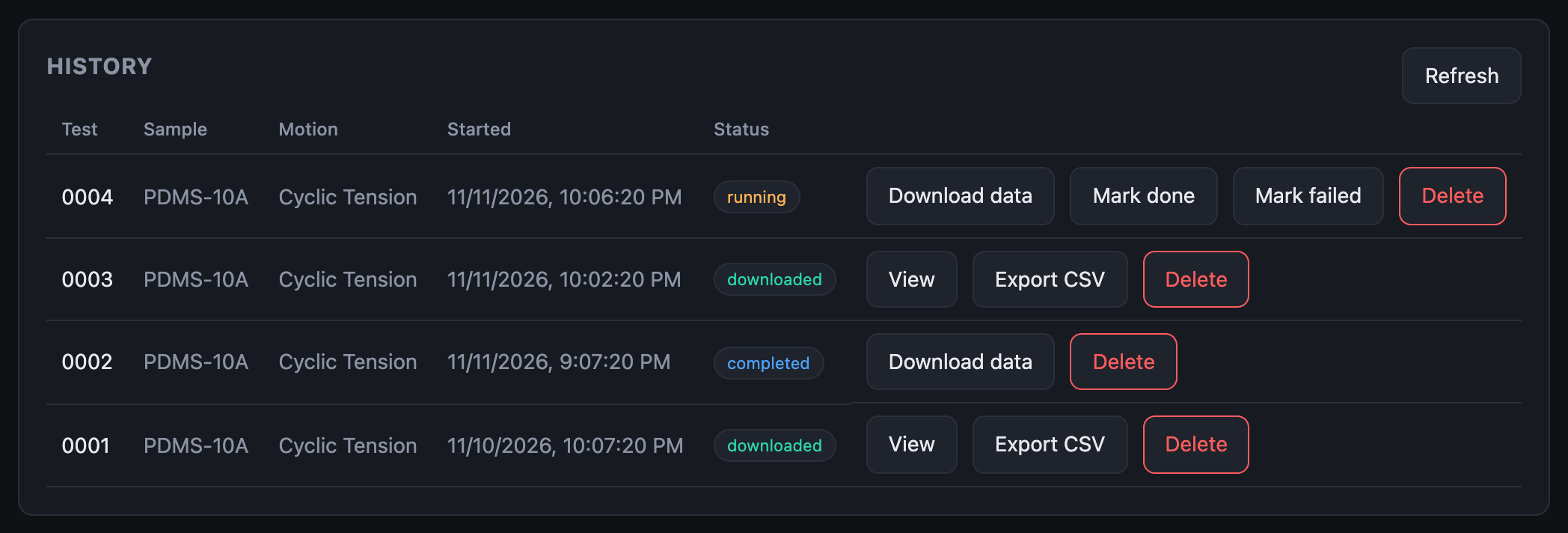
The app marks a run completed when the machine reports it finished, and on connecting it completes any run left running once the machine reports it is idle. A run that stays running means the machine still reports a test in progress, or the app has not connected since.
Connect, and check Control shows Test: idle. If the row is still
running, use Mark done (or Mark failed) on it. Download data
still works.
A run can't be viewed
View appears once the run is downloaded. Click Download data first.
If the download finds the machine recorded nothing, the run is marked error with the reason under its badge: the test most likely failed to start or stopped straight away.
Download data fails
- The machine must be connected and responding.
- The recording is on the machine's SD card. If the card was removed or replaced, the data is gone from the machine.
Runs or profiles are missing
The History table is built from an index file in the data folder. If you switched folders or changed files outside the app, click Settings → Rescan folder to rebuild it from the files that are there.
Data folder
| Symptom | Cause and fix |
|---|---|
| The app asks for the folder when it opens | First run, or the browser forgot the folder. Click Choose data folder and pick the same one: your files are still in it. |
| The browser needs your permission again | Chrome re-asks after a restart. Click the Allow button. |
| Saves fail with an error toast | The disk is full, the folder was moved or deleted, or permission was withdrawn. Choose the folder again in Settings. |

Numbers in the CSV look too large
The raw CSV on disk uses the machine's units (µs, mN, nm). Export CSV and the run viewer use s, N and mm. See File formats.